CodeMap, by Team Axion

What we built
CodeMap is a tool that looks at a JavaScript/TypeScript repo and tells you things about it that are usually hard to see just by reading code: which files everything depends on, where the circular dependencies are hiding, and which files are both structurally important and getting changed all the time (which, if you've worked on a real codebase, you know is basically a recipe for bugs).
You paste in a GitHub URL, it clones the repo (shallow, temp folder, deletes itself when done), scans every JS/TS file, builds a dependency graph out of the imports, walks that graph looking for hotspots and cycles, cross-references it against the git commit history to see what's changing the most, and then spits out a report, either in the terminal, as JSON, or as a full interactive HTML page with an SVG graph you can actually look at.
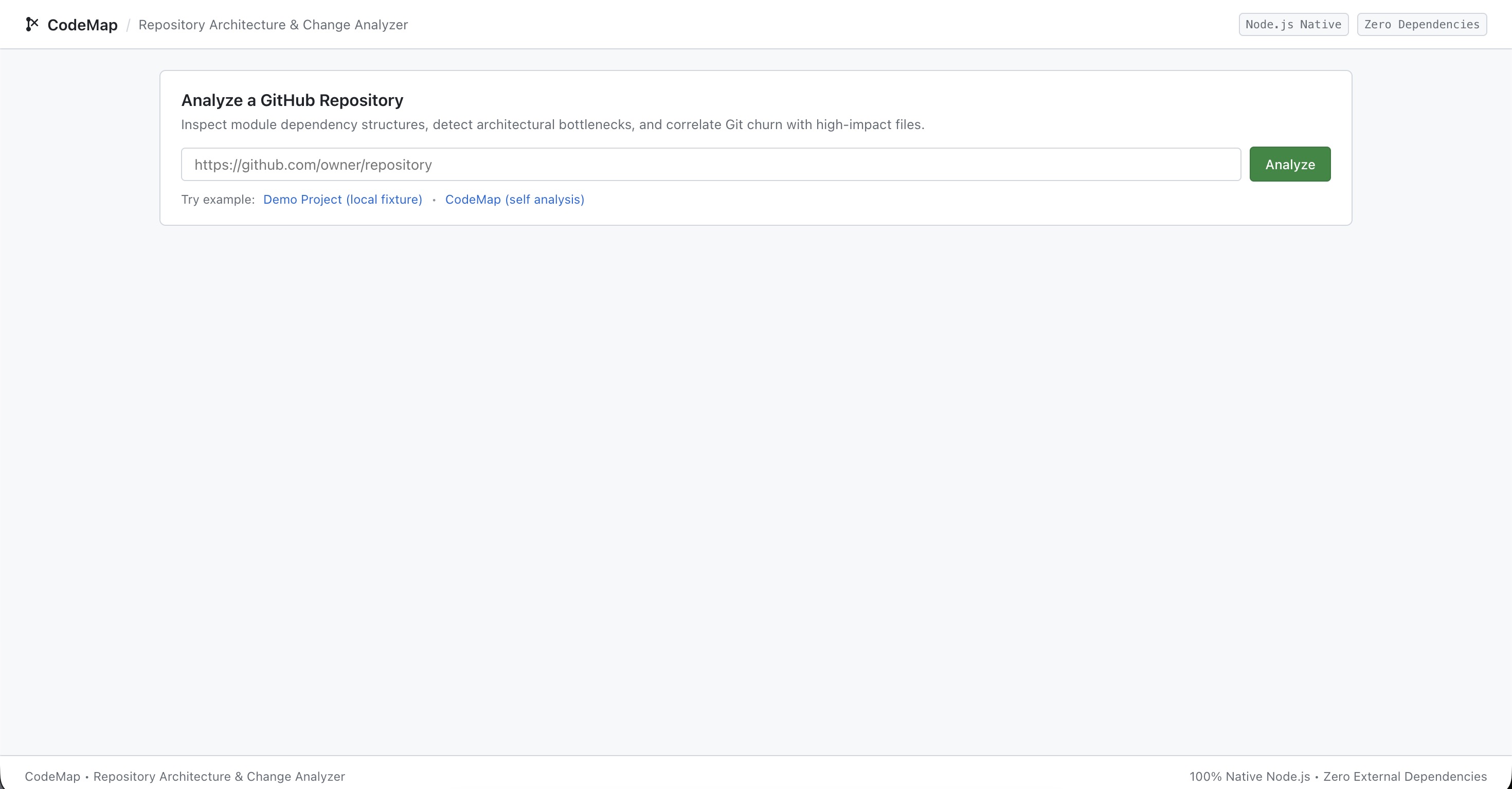
The part that made this a fun problem for a hackathon: package.json has zero dependencies. No dependencies, no devDependencies. Everything runs on things Node already ships with: fs, path, http, child_process, crypto, os, url, plus node:test for the test suite. That constraint is basically the whole story of this project, because every single feature had an obvious "just npm install X" answer that our team wasn't allowed to take.
The parser: instead of Acorn / @babel/parser
Normally if you want to know what a JS file imports, you don't write that yourself. You pull in something like @babel/parser or acorn, get a real AST, walk it, and pluck out the ImportDeclaration and CallExpression (for require) nodes. That's the correct way to do it and it's basically a two-line integration.
We didn't have that option, so getImports() is just two regexes:
const importPattern = /import\s+(?:[\s\S]*?\s+from\s+)?["']([^"']+)["']/g;
const requirePattern = /require\s*\(\s*["']([^"']+)["']\s*\)/g;
That sounds almost embarrassingly simple written out like that, but getting it to not fall over took a few passes. The first version we had only matched import x from "y" and completely missed side-effect imports like import "./styles.css", where there's no from clause at all. That's why the non-capturing (?:...from...)? group is optional. It also originally choked on multi-line import statements (import {\n a,\n b\n} from "./thing"), which is why the middle of the pattern uses [\s\S]*? instead of .*?. A plain . doesn't match newlines in JS regex by default, and we lost a chunk of time to that before someone on the team remembered why.
It's not a real parser. It'll get tripped up by an import string that shows up inside a comment or a template literal, and it doesn't understand dynamic import() unless we explicitly add that pattern. But for the actual job, "does file A depend on file B," it's good enough, and it's about six lines instead of a dependency plus AST-walking code.
The dependency graph and cycle detection: instead of Madge
This one stung a little because there's a package, madge, that already does almost exactly this: builds a module dependency graph and finds circular dependencies. Using it would have been one require call.
Instead the graph is a plain object mapping file to a list of dependency files, with in-degree and out-degree computed by counting how often each file shows up on either side of that mapping. The actual cycle detection is the classic three-set DFS you'd find in an algorithms textbook: visiting for nodes currently on the recursion stack, visited for nodes fully processed.
function visit(node) {
  if (visiting.has(node)) return true;   // back edge = cycle
  if (visited.has(node)) return false;
  visiting.add(node);
  for (const dep of graph.getDependencies(node)) {
    if (visit(dep)) return true;
  }
  visiting.delete(node);
  visited.add(node);
  return false;
}
hasCycle just needs a yes/no answer, but the report wanted the actual cycle (so you can see A goes to B goes to C goes back to A), so there's a second version that tracks the current path as a stack and, the moment it hits a node that's already on that stack, slices the path from that point forward and reports it as the loop. We also had to special-case self-imports (a file requiring itself), because the general DFS doesn't naturally flag a node pointing at itself as a "path," it just looks like an edge.
This is genuinely a case where we'd tell another team building this for real: just use Madge. Writing your own cycle detector is a nice algorithms exercise, but you don't get points on a normal engineering scorecard for "reimplemented something a maintained package already does well." Here, that reimplementation was the whole point, so it worked out.
Git history and churn: instead of simple-git
To correlate "files that change a lot" with "files that everything depends on," we needed commit history per file. The normal move is simple-git, which wraps the git CLI and hands you back clean objects.
We shelled out to git directly with execSync and parsed the text output by hand:
runGit(repoPath, `log -n ${commitLimit} --name-status --pretty=format:"__COMMIT__"`)
and then split on that __COMMIT__ marker to count commits, and parsed each --name-status line to figure out whether a file was added, modified, or deleted. The status letter is the first character of the line (A, M, D, R, C), and for renames and copies git puts the old and new paths on the same line, so we had to grab the last tab-separated field instead of the second one for those.
The part nobody on the team saw coming: filenames with unicode or special characters. Git, by default, doesn't print those filenames as-is in its plumbing output. It wraps them in quotes and escapes non-ASCII bytes as octal escapes, like "caf\303\251.js" for café.js. If you don't handle that, every file with an emoji or an accented character in its name comes out of git looking like garbage and never matches up with the actual file path from the scanner. decodeGitFilename() exists purely to walk that string, catch the \NNN octal sequences, turn them back into raw bytes, and decode the whole thing as UTF-8. That one function took longer than the rest of the git module combined, and it's the kind of edge case a wrapper library handles for you silently, one you'd never even think to plan for.
The visualization: instead of D3.js
The HTML report has an interactive SVG graph of the whole dependency structure, and the obvious tool for "lay out a graph and draw it" is D3.js: force-directed layout, drag it into an SVG, done. Not available to us.
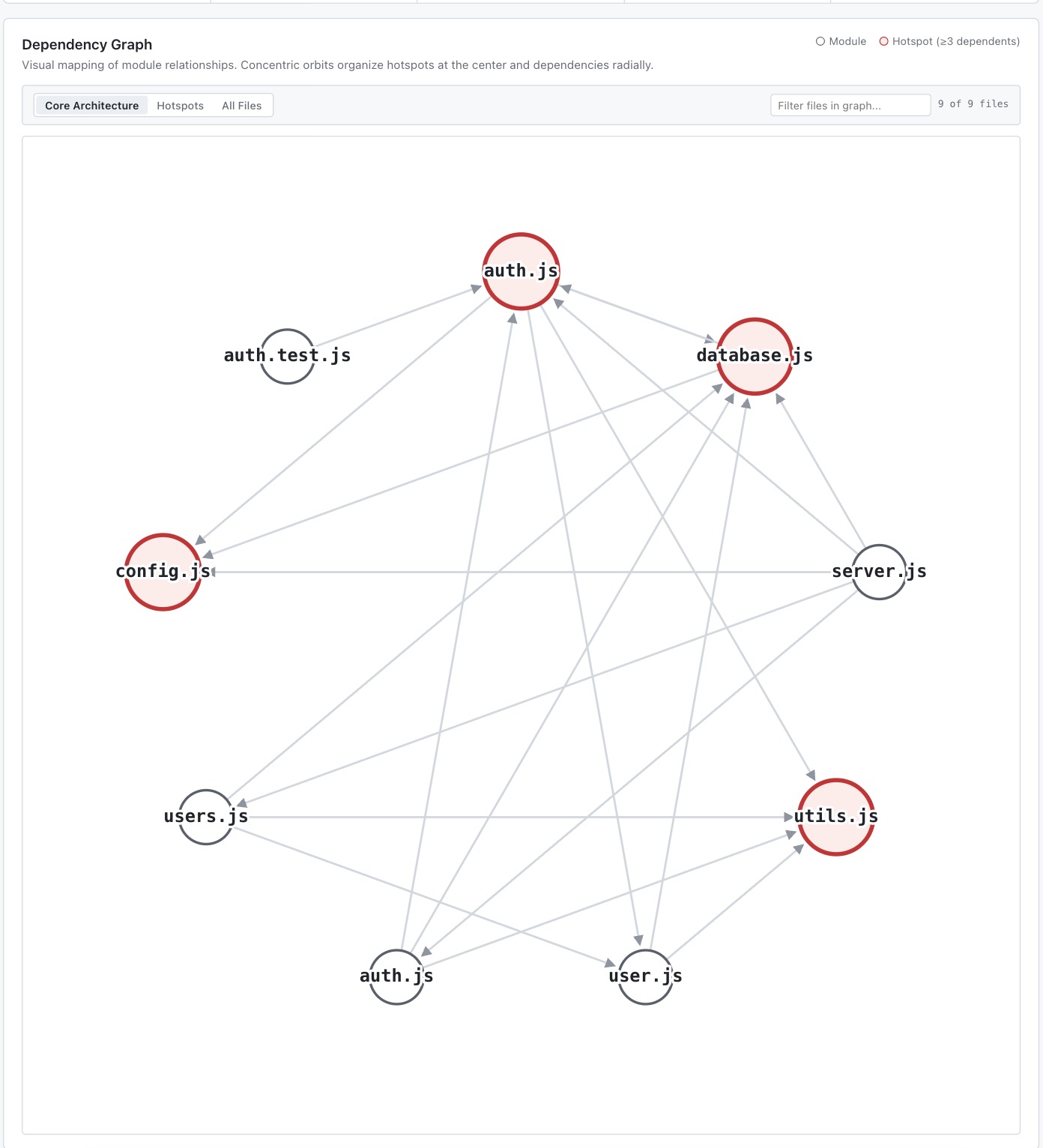
What we ended up with is a hand-written radial layout. Every file gets bucketed into one of three tiers based on its in-degree and out-degree: hotspots (heavily depended-on files, high risk if you touch them), intermediates, and leaves. Each tier gets placed on its own concentric ring, and nodes within a ring are spaced evenly around it using basic trigonometry.
const angle = (2 * Math.PI * idx) / ringNodes.length - Math.PI / 2 + offset;
positions[node] = {
  x: cx + radius * Math.cos(angle),
  y: cy + radius * Math.sin(angle),
};
There's no physics simulation, no force simulation settling into place over a few hundred iterations the way D3 does it. It's a deterministic placement computed once, and the ring radius grows based on how many nodes are in that ring so things don't overlap. Hotspot nodes also get drawn bigger. It's a much simpler algorithm than a real force-directed graph layout, but for a repo of a reasonable size it actually reads more clearly than a force layout would, because the tiering does the organizing work instead of leaving it to physics. You can look at the picture and immediately tell which files are load-bearing just from which ring they're on.
What the "no dependencies" constraint actually cost the team
Time, mostly, in places none of us were expecting. The regex import parser was fast to write and slow to trust, since we kept finding one more import syntax it choked on. The git filename decoding was a rabbit hole nobody planned for at all. The layout math ended up being the most fun part honestly, because it turned into an actual small algorithm design problem instead of "read the docs for library X."
The thing we'd say to any other team doing this kind of build: the packages you skip aren't just doing "the easy part" for you. @babel/parser isn't just a regex with better manners, it's handling every weird edge case in JS syntax that fifteen years of the language evolving has produced. simple-git isn't just a wrapper around exec, it's already solved the filename-encoding problem that cost us an evening. You don't really appreciate how much invisible edge-case handling is baked into a mature package until you try to cover even 80 percent of it yourself in a weekend, as a team, with a deadline.
Try it out: https://codemap-9tmb.onrender.com/


